
Colors evoke emotions, set moods, and create visual harmony. Whether you're a designer looking for inspiration or a developer maintaining brand consistency, extracting colors from images is a powerful technique that can transform your creative workflow.
Key Takeaway
Our algorithm uses K-means clustering combined with vibrancy detection to extract the most visually appealing colors from any image.
How Color Extraction Works
Color extraction algorithms analyze every pixel in an image, group similar colors together through a process called quantization, and identify the most dominant colors based on their frequency and visual prominence.
The Algorithm Steps:
- Sampling: Canvas analysis at optimized resolution (300px for speed)
- Filtering: Remove grays and near-whites (optional vibrant mode)
- Clustering: K-means algorithm groups similar colors
- Sorting: Results ordered by saturation and dominance
- Output: Hex codes ready for copy-paste
Why Extract Colors? Use Cases
🎨 Brand Identity
Extract colors from your logo and create consistent brand palettes for marketing materials.
💡 Design Inspiration
Capture palettes from photographs, art, and nature for your next design project.
🎯 UI Themes
Automatically generate application color schemes from a hero image.
♿ Accessibility
Ensure sufficient contrast ratios in your designs with color analysis.
Understanding Color Theory
| Harmony Type | Description | Use Case |
|---|---|---|
| Complementary | Opposite on color wheel | High contrast designs |
| Analogous | Adjacent colors | Harmonious, serene |
| Triadic | Evenly spaced (3) | Vibrant, balanced |
| Monochromatic | Single hue variations | Minimalist designs |
Using Our Color Extractor
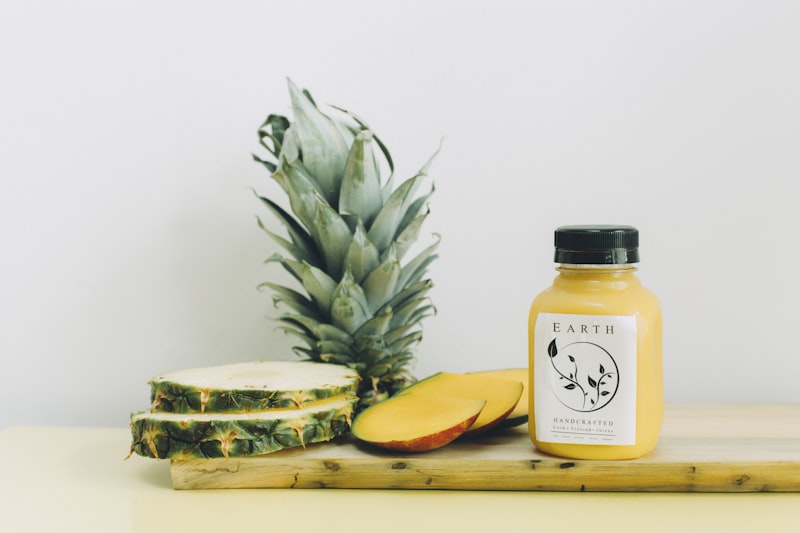
Our Color Extractor tool makes palette creation simple:
- Upload your image (JPG, PNG, WebP supported)
- Choose how many colors (2-10 recommended)
- Toggle Vibrant Mode for saturated colors
- Copy hex codes with one click
- Export full palette as JSON for development
Tips for Better Results
- Image quality matters: Higher resolution = more accurate colors
- Clear subjects work best: Avoid overly busy compositions
- Experiment with count: 3-5 colors for simple palettes, 6-8 for complex
- Use Vibrant Mode: For logos and designs with accent colors
- Consider dominant color: For primary brand elements
Pro Tip
Extract colors from your competitors' websites or popular designs in your industry to understand current trends and create complementary palettes.
Export Formats
Our tool supports multiple export formats for different workflows:
| Format | Use Case |
|---|---|
HEX |
CSS, design tools, general use |
RGB |
Digital screens, photo editing |
HSL |
CSS variables, programmatic adjustments |
JSON |
Development, API integration |
Conclusion
Color palette extraction bridges the gap between inspiration and implementation. Whether you're building a brand identity, designing a website, or creating digital art, understanding the colors that make images work is invaluable.
Try our Color Extractor on your favorite images and discover palettes you never knew existed!